
Game guides
Backseat Rally Guide: Co-Driver Calls and Solo Play
Start Backseat Rally with the official game link, solo-mode details and a co-driver practice checklist for clearer corner calls and better retries.
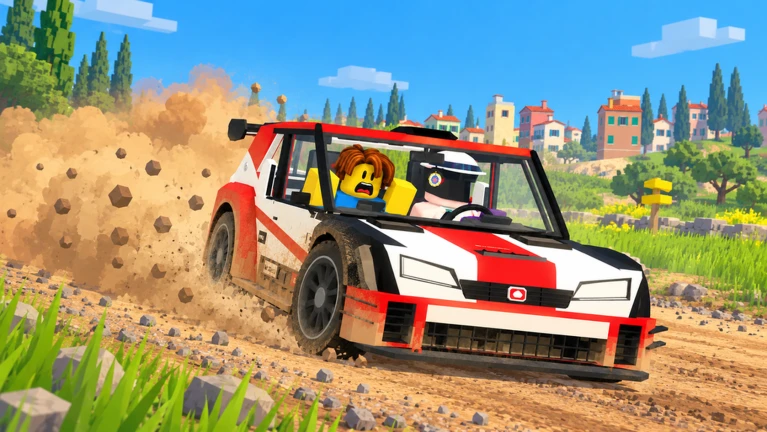
Checked October 24, 2026. The Roblox overview uses the developer's published description. We have not driven the Roblox original; our separately identified browser prototype is tested below.
Backseat Rally puts communication at the center of a race: your co-driver sees the road ahead, and you drive using their calls. Start with Backseat Rally by No crash plez on Roblox. Checking the creator name helps you find the intended game rather than another rally experience.
Developer promotional image from the official Roblox listing. © No crash plez. This is the original Roblox game, not an OpenGame-generated racer.
Can you play Backseat Rally solo?
Yes. The developer describes a solo option in which a friend's avatar accompanies you as an AI co-driver. A real second player is therefore not required for every run. The listing also advertises medal chasing and head-to-head racing.
For a first session, our recommendation is to learn the driving and cue format before chasing a record. Read the current in-game control prompts: we have not verified a keyboard layout, controller mapping or mobile control scheme, so this guide does not assign untested keys.
Driver and co-driver: agree what “left” means
A useful practice rule is to call corners from the driver's forward direction, not from the spectator's position or a fixed side of the map. That is a communication convention we recommend, not a claim about a hidden game setting.
Before a serious attempt, agree on three things:
- Direction: use the same frame of reference for left and right.
- Timing: distinguish an upcoming corner from the corner you are already taking.
- Correction: use a short, consistent correction rather than several competing instructions.
On an easy stretch, make a gentle steering input and compare the car's movement with your expectation. If something feels reversed, first separate the road call from the steering input. Was the call describing a later turn? Had the camera changed? Was the car pointing back along the route? Those observations are more useful than changing several controls at once.
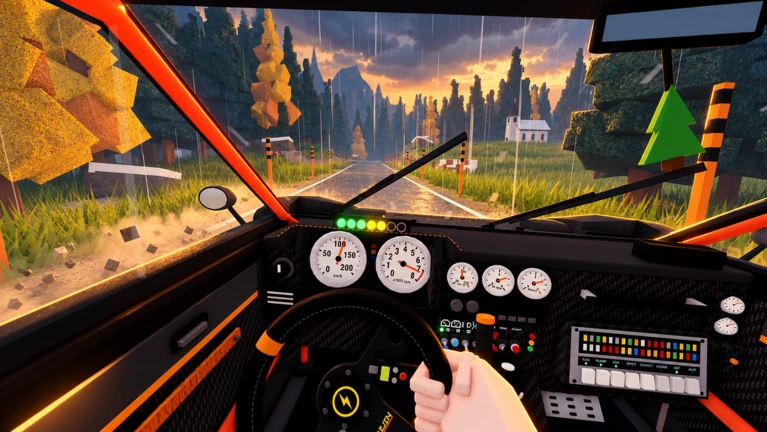
Official cockpit promotional image. It illustrates the game's driving perspective; it does not establish the keyboard controls or settings available in every mode.
What roads and cars are advertised?
At the time of our check, the official description listed seven cars and five stages, with forest, snowy and cherry-blossom settings. It also mentioned rain, mud and snow. These are dated listing details, not a promise that the vehicle selection or event rotation will remain unchanged.
Do not infer exact handling differences from a car's appearance. For a useful comparison, change one thing at a time: keep your practice route and objective consistent, then note where you lost control or misunderstood a cue. A clean run gives you a better baseline than switching cars after every crash.
A short practice routine
Use one attempt to learn the instructions and recognize the car's orientation. Use the next to focus on the first corner that confused you. Only then try to improve your time.
Keep a small note with the corner, cue, your input and the result. “I steered right after a left call” is actionable. “The car feels wrong” is harder to diagnose. If you are playing with a friend, compare both observations before deciding whether the mistake was in the call, timing or driving.
This is also a useful way to evaluate a game you create. In our browser-game creation walkthrough, the goal is a playable loop you can test and revise. A co-driver racer makes direction, timing and visual feedback especially easy to examine.
Our original browser experiment: Pacecall Rally
We used OpenGame Studio to generate Pacecall Rally, a separate 2D browser prototype with original procedural artwork. It explores the co-driver idea through one course, keyboard and touch controls, and a clear off-road failure rule. It does not reproduce Roblox accounts, rewards or multiplayer.
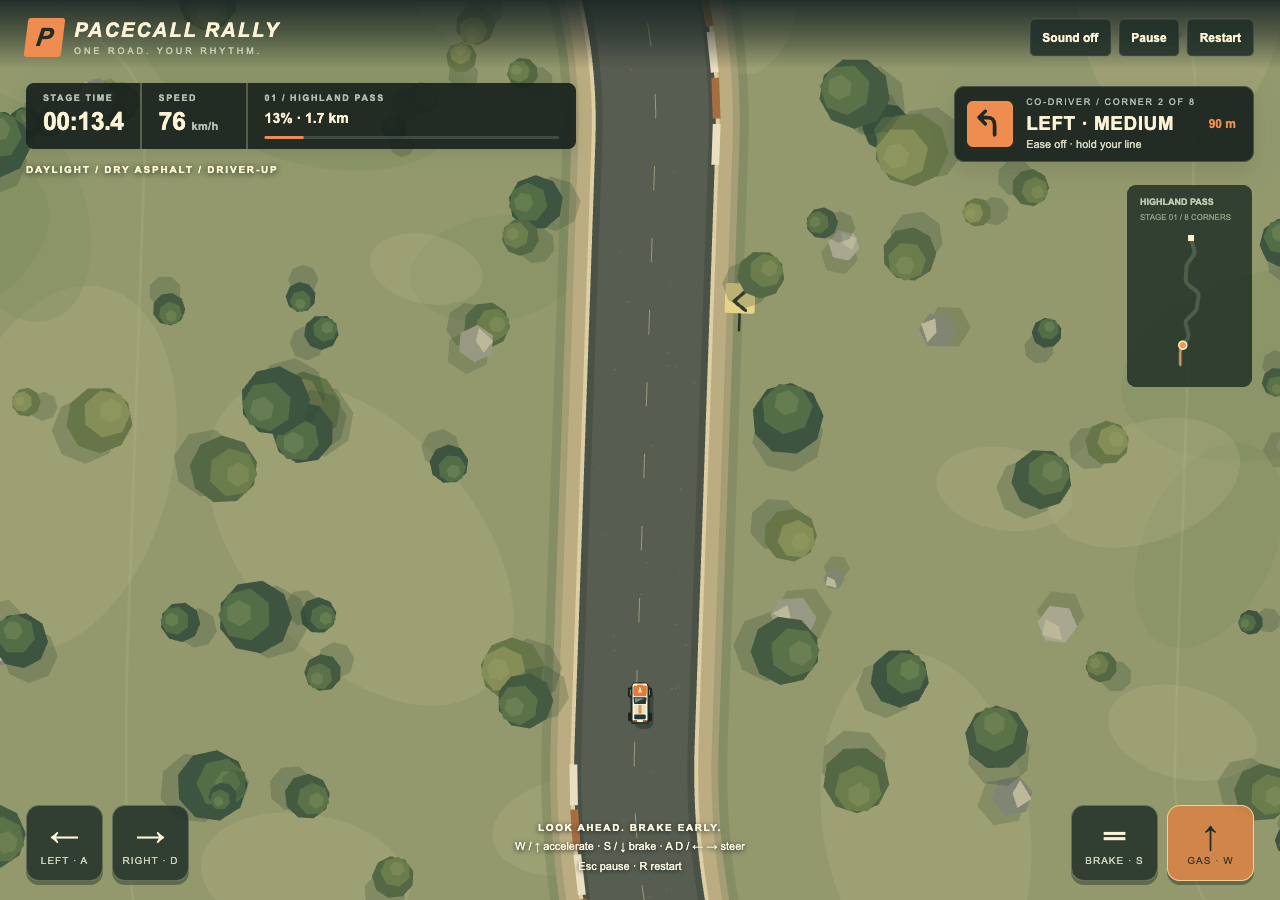
Actual capture of our first generated version on October 24. This is Pacecall Rally by OpenGame, not Backseat Rally on Roblox. The small car is visible near the lower center.
We tested the original output without manually repairing its source. Left and right steering behaved consistently with the driver-up camera; braking stopped the car. Pause froze the timer, leaving the road triggered the warning and failure flow, and retry cleared the previous run. An automated keyboard playtest passed all eight checkpoints and finished in 92.1 seconds without leaving the road. That is a functional test result, not a competitive time or a human difficulty rating.
At a simulated 390-pixel phone width, simultaneous touch inputs for steering and accelerating worked, as did braking and pause. We have not tested a physical phone. The remaining visual weaknesses are straightforward: the car is small on a large screen, the scenery repeats, and the result HUD retains the last speed reading after the car stops moving. These are useful targets for a later revision.
For your own experiment, follow our browser-game creation walkthrough, browse OpenGame's playable collection, or start an original rally idea in OpenGame Studio. Test the steering and retry loop before expanding the vehicle list.
Source note
Game identity, solo support and the advertised content above come from the official Backseat Rally listing, checked October 24, 2026. The two Backseat Rally images are developer promotional material from that listing, reproduced for identification and commentary. The Pacecall Rally screenshot is our own capture of the original browser prototype. Practice routines are OpenGame editorial suggestions. We have not verified live event rewards, exact control mappings, vehicle statistics or a complete race in the Roblox original. The Pacecall Rally observations refer only to the separate browser prototype shown above.