
Published HTML5 gameSandboxedCreator-declared originalOwner-reported playtest

Play LOADPATH ZERO Online

Read glowing structural veins, break the right supports with a Shear Maul, steer each voxel collapse into its target zone, and escape the falling debris.

Play nowOpen game only

Runs with isolated scripts, no top navigation, and no artifact token in the URL.
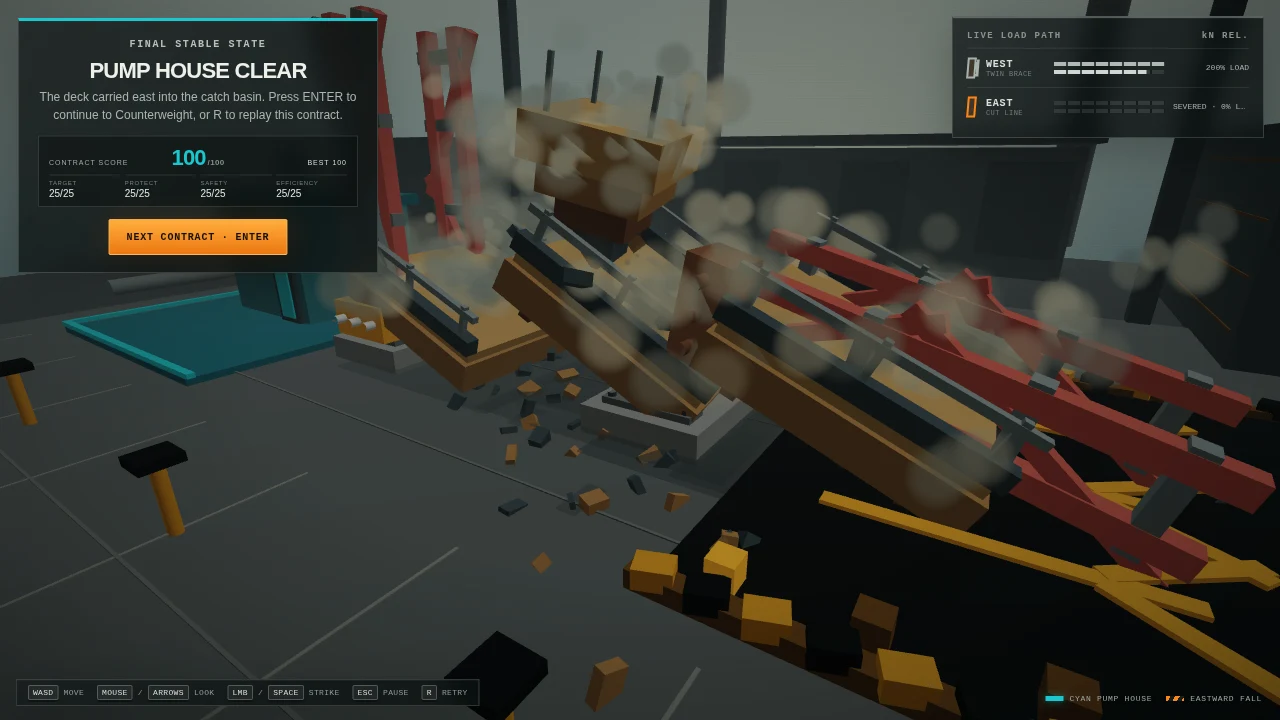
LOADPATH ZERO cover

Play in browser

Sandboxed game player

Click inside the game to focus controls.

Game information

Released
August 6, 2026
Game engine
HTML5
Platforms
Web browser — desktop
Orientation
Landscape

Game details

What to expect

DesktopLandscape layout

Core loop

Choose a contract, read the highlighted load path, position the first-person demolition worker, strike a load-bearing voxel, watch the structure respond, and move before its controlled fall reaches you.

Goal

Complete five distinct demolition contracts by directing enough falling mass into each cyan target zone while protecting marked structures and staying out of the collapse path.

Failure and restart

A failed objective, protected-structure hit, burial, or poor placement ends the attempt; Retry rebuilds the current contract, while the contract menu lets you choose an unlocked job.

Tips for a better run

  • Follow the glowing load paths and gold strike outline before committing to a support.
  • Approach from the side that gives the falling structure room to rotate toward the cyan target zone.
  • Start moving as soon as the structure tilts; a successful direction is still dangerous if debris reaches the player.
  • Use the contract objectives and protected markers to distinguish placement, preservation, and inward-collapse challenges.

Tags

browser gamedemolitionphysics puzzlevoxel destructionfirst personindie game

Publication details were supplied by the authenticated artifact owner. Internal QA evidence remains private and is not independently verified by this page.

Controls

How to play

  1. 1Click Enter the Yard, choose an unlocked contract, and click the game canvas if needed to lock the pointer.
  2. 2Use WASD to move and the mouse to look around the structure.
  3. 3Use the left mouse button to swing the Shear Maul at a highlighted support.
  4. 4Hold Shift to sprint, press Space to jump, press R to retry, and use Escape or P to pause.

AI Game Generator

Turn your own idea into a playable HTML5 game

Use OpenGame to generate a focused browser-game draft, test it in a sandbox, iterate in the same Studio conversation, and publish only when the core loop works.

Open the AI Game Generator