
OpenGame guide
Browser Kart Racing Game Design: Emberlight
See how Emberlight Kart Racing combines readable circuits, drift boosts, items, chassis choices, seven rivals, and practical browser controls.
 OpenGame Team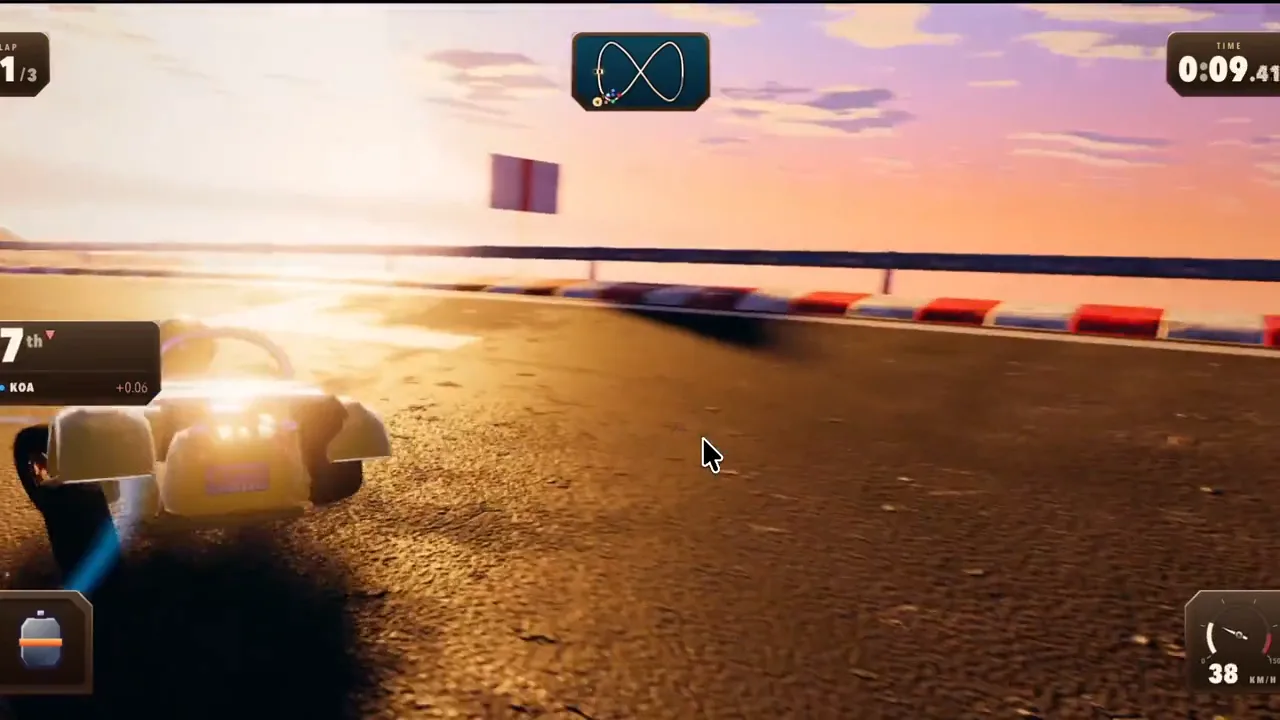
A browser kart racing game has only a few seconds to explain itself. The player needs to see a course, understand acceleration and steering, identify rivals, and believe that the next corner can change the race. Emberlight Kart Racing builds that clarity into a complete three-lap loop with eight competitors, two circuits, drift boosts, items, and selectable racers and chassis.
The finished game is a useful production reference because it does more than show a moving vehicle. It connects preparation, racing decisions, recovery, finish placement, and immediate replay inside one browser session.
Make the race readable before making it deep
The first job of a racing game is to make the next decision visible. A player should be able to read the road direction, the kart's heading, nearby rivals, lap progress, and the value of an item without opening a tutorial panel during the race.
Emberlight keeps its central promise simple: complete three laps ahead of seven AI rivals. That goal gives every secondary system a clear purpose. Drifting is useful because it creates exit speed. Items are useful because they help convert proximity into a pass. Chassis selection matters because different courses reward different handling traits.
This hierarchy is important for an AI game maker or any rapid game-production workflow. Extra mechanics should strengthen the race, not compete with it.
Turn drifting into a decision with a payoff
A drift becomes satisfying when the player can understand both the cost and the reward. Holding a drift changes how the kart rotates through a corner. Releasing a charged drift on corner exit converts that preparation into a speed boost.
That sequence creates a small skill loop inside the larger race:
- Read the corner and choose an entry line.
- Commit to the drift instead of making a last-second correction.
- Hold the slide long enough to build value.
- Release where the boost can be used safely.
The boost is not a decorative particle effect. It is feedback that confirms the player's timing and changes the next few seconds of the race.
Give pre-race choices visible consequences
Emberlight offers different racers and three chassis directions. Apex is balanced, Skimmer rotates more quickly, and Bulwark carries more speed and contact mass. The game also includes two circuits with different shortcut and corner rhythms.
Those choices work because they alter decisions the player already understands. A more responsive chassis changes corner entry. A heavier chassis changes contact and speed retention. A different circuit changes which strengths are easiest to use.
This is more effective than presenting a long upgrade tree before the player has completed a first race. The selection is small enough to test immediately, while still giving a reason to replay.
Use items to create passing moments
Items are most useful when they create a decision about timing and position. Using an item near a rival or before a long straight makes its effect easier to convert into a pass. Holding it too long can waste an opportunity; firing without a useful line can waste the item.
The result is controlled variation rather than random interruption. Course knowledge and driving still matter, but the player has another way to recover from a poor line or challenge a nearby rival.
Keep browser inputs equivalent
The published game supports keyboard, gamepad, and landscape touch play:
- Arrow keys or
WASDhandle steering, acceleration, and braking. Shiftcontrols drifting, whileSpace,Enter, orEuses an item.- A gamepad uses the left stick or D-pad, triggers, shoulder buttons, and face buttons.
- Touch play uses a left steering control, auto-acceleration, and dedicated drift, brake, and item actions.
The exact control surface changes, but the decisions remain the same. Every player can steer, manage speed, drift, and use an item. That equivalence matters more than forcing every device to imitate a keyboard.
Recovery and replay complete the loop
A missed line or spin should cost time without turning the rest of the race into dead time. Emberlight lets the player recover and continue, then restart from Pause or the results screen using the selected loadout.
This keeps failure proportional. A mistake inside the race creates a placement problem; completing the race still produces a result. The replay path then lets the player change a course, racer, chassis, or technique without rebuilding the session.
Use the game as evidence, not a clone target
Play Emberlight Kart Racing to study how preparation, driving, feedback, failure, and replay connect. The finished game is not presented as a one-click template. Its value is evidence: a browser game can communicate a complete racing loop quickly and still leave room for handling choices, rivals, items, and replay.
If that structure gives you an idea, open OpenGame Studio and define an original vehicle fantasy, course structure, camera, controls, progression, and finish condition. Keep the decisions that make racing readable, then build a different game around them.
Source note
This article describes the behavior and public release information of the current Emberlight Kart Racing build. The published game identifies itself as a licensed, source-owned derivative; the article does not claim that third-party source material originated with OpenGame.