
Health and SHAKTI do different jobs
The upper health bars show how much damage each fighter can still take. SHAKTI sits along the bottom and powers SUPER. A full health bar does not mean your super is ready; look for SHAKTI READY! instead.
Browser fighting game
FightKaro is the browser address and name used for Sansad Showdown: The Great Kursi Fight, a 3D political satire fighter credited to @shivmbuilds. Pick a fighter, stage and CPU difficulty, or open the friend-room menu.
An independent guide. The original game labels its characters, dialogue and scenarios as fictional satire and parody, without endorsement by any person or party.
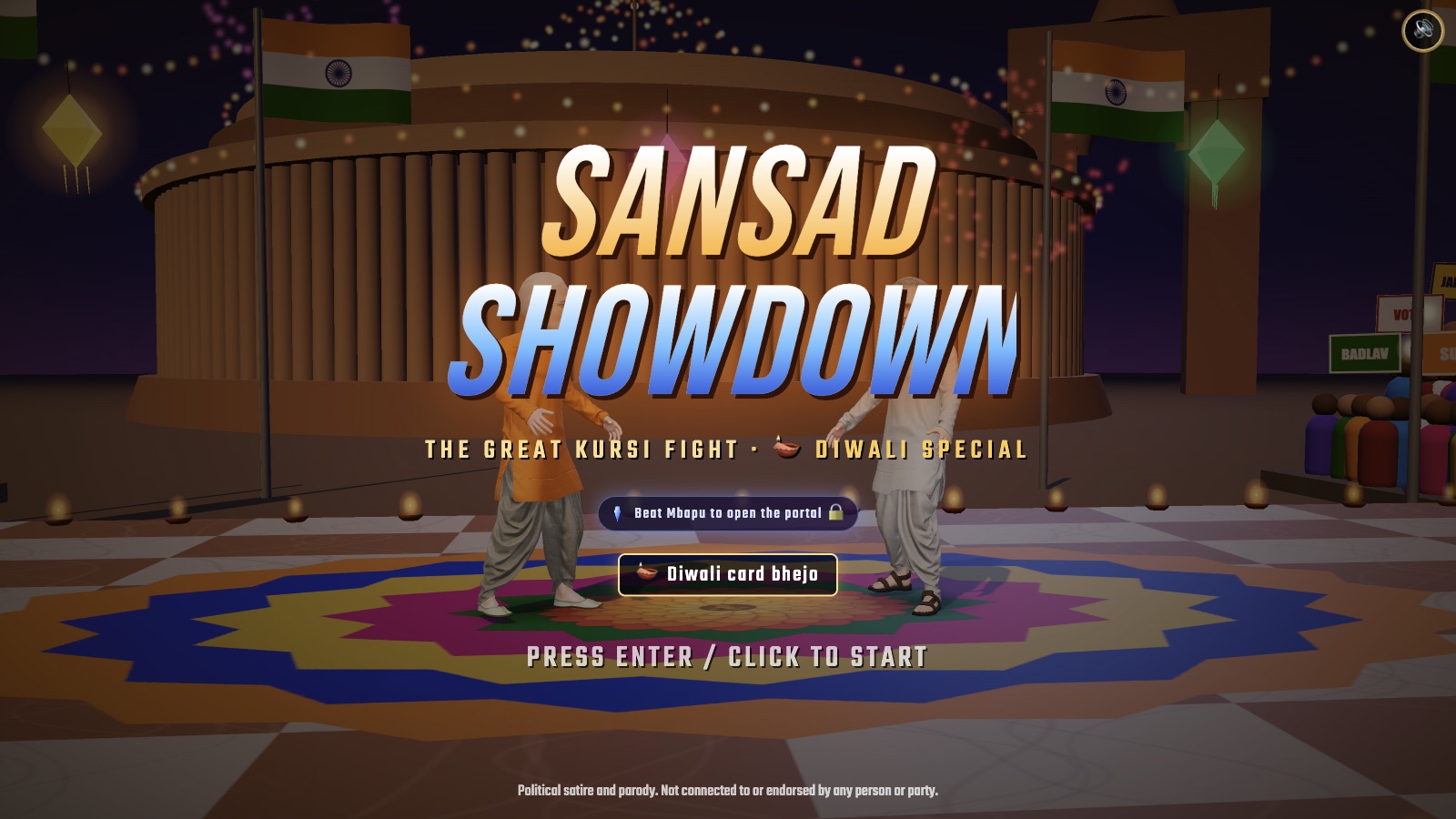
The original title screen, captured in the Diwali-themed version.
Game: @shivmbuilds · Source: fightkaro.comOn fightkaro.com, the title screen says Sansad Showdown: The Great Kursi Fight, and its own notice pairs the names Sansad Showdown / FightKaro. These names identify the same fighter at that address. The creator portfolio also lists Sansad Showdown and links a shivambuilds.app deployment.
| Name or address | What it identifies |
|---|---|
| Sansad Showdown | The title displayed by the fighter. |
| FightKaro / fightkaro.com | The address and name used for that fighter. |
| sansadshowdown.com | A namesake site describing parliamentary debate and strategy. Its relationship to the fighter is not established by the pages checked. |
Use the button to play on the original host. That host restricts embedding on other websites, so gameplay opens in a new tab. Read its satire notice, continue, then press Enter or click the title screen.
Read the HUD before chasing a long combo. The screenshot above the practice sections shows the three things to watch during a CPU fight.
The upper health bars show how much damage each fighter can still take. SHAKTI sits along the bottom and powers SUPER. A full health bar does not mean your super is ready; look for SHAKTI READY! instead.
A knockout can finish an ordinary round before time runs out. At the time limit, the fighter with more remaining health wins; equal health produces a draw. Check the clock when deciding whether to approach again.
A round win gives one point; a draw gives one to each side. Under the current ordinary-match rules, the match ends when a fighter has at least two round points and leads. Draws can therefore extend a tied match beyond three rounds.
These are the ordinary match rules checked in the current game build. Follow any separate prompts in a boss challenge.
| Action | Input |
|---|---|
| Move | A / D or ← / →; touch stick |
| Jump / crouch | W / ↑ to jump; S / ↓ to crouch |
| Block | Hold back, away from your opponent |
| Punch / kick | J / K; PUNCH / KICK buttons |
| Grab | I or J + K; GRAB button |
| Super | L or Space; SUPER when SHAKTI is full |
| Pause / audio | Esc pauses; M music; N mute |
At character select, choose your fighter and then the CPU opponent. The current menu includes Random and a boss-tagged entry; check the labels in the live game.
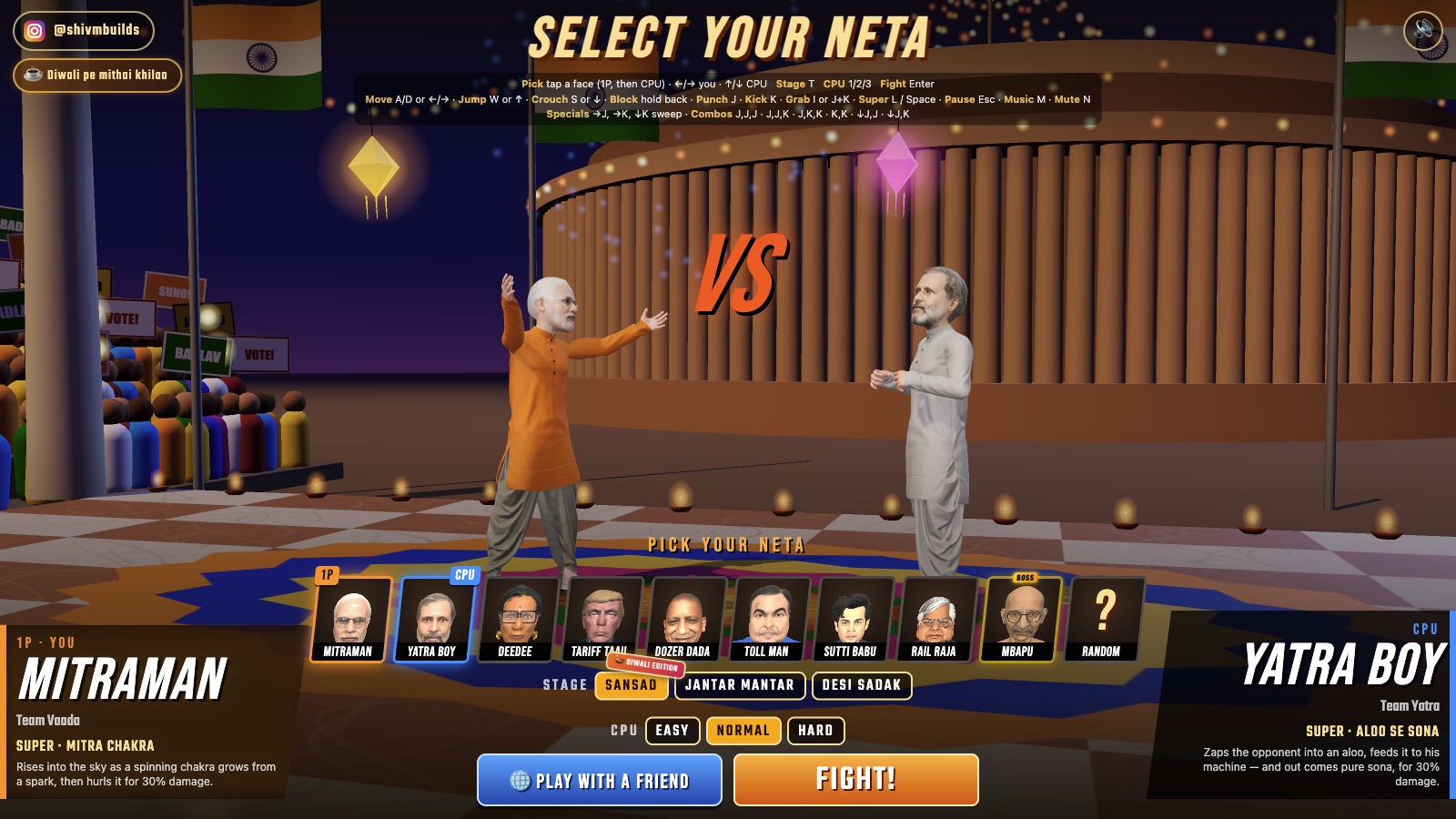
Choose your fighter and the CPU opponent, then set the stage and difficulty.
Game: @shivmbuilds · Source: fightkaro.comPick Sansad, Jantar Mantar or Desi Sadak. Easy, Normal and Hard are the CPU choices. The selection legend also lists T for stage and 1 / 2 / 3 for difficulty.
Press FIGHT! or Enter. Start by testing movement and a single attack. Esc opens the pause menu; Resume continues and Quit to Select returns to selection. The result menu offers Rematch and Character Select.
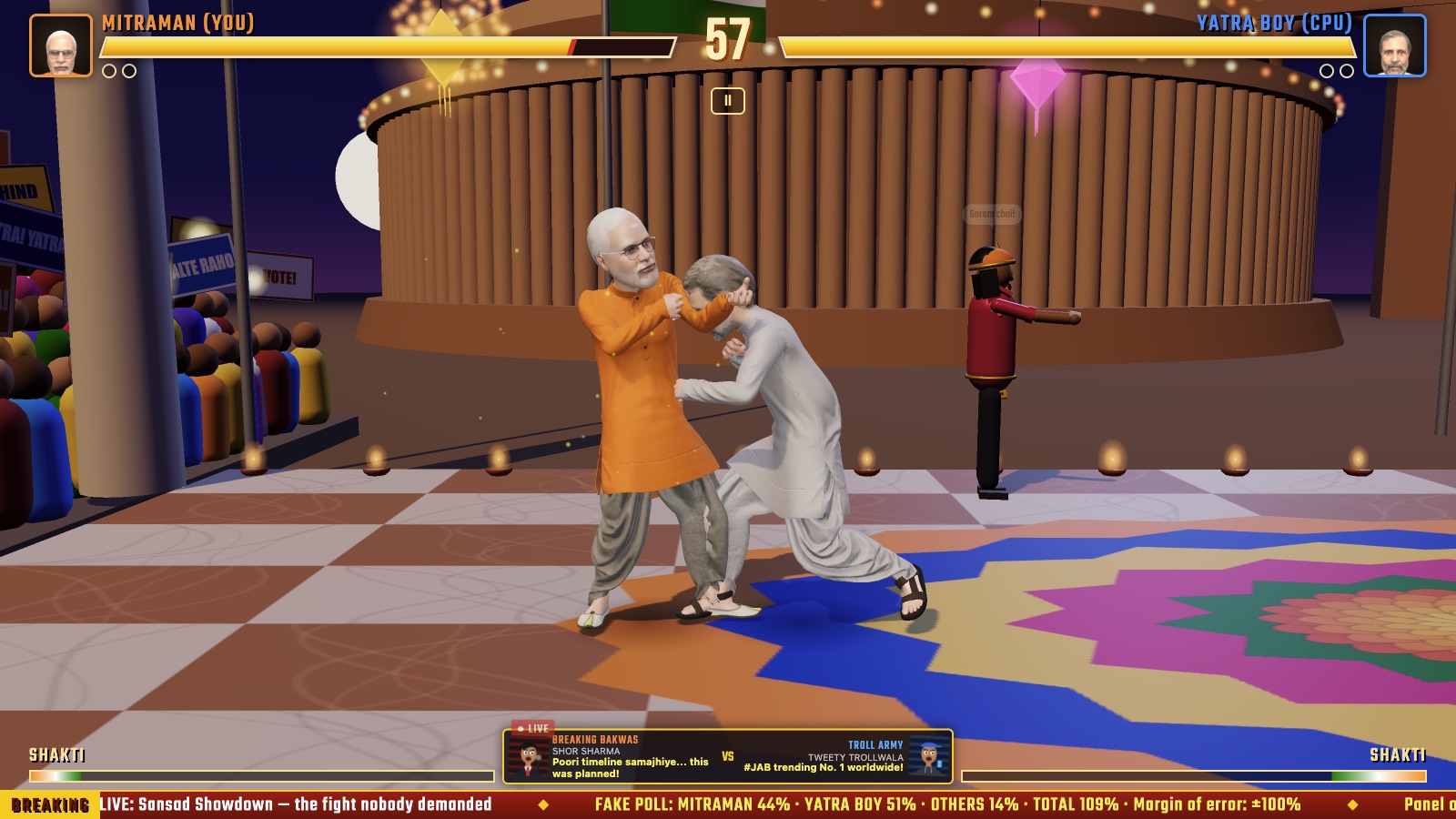
A real CPU fight: health and the timer are at the top; SHAKTI meters are along the bottom.
Game: @shivmbuilds · Source: fightkaro.comThe checked selection screen lists MitraMan, Yatra Boy, Deedee, Tariff Taau, Dozer Dada, Toll Man, Sutti Babu and Rail Raja, alongside Random and a boss-tagged MBAPU entry. Start with one fixed fighter and one fixed CPU opponent so that a new matchup does not change every attempt.
The SUPER card describes a spinning chakra throw. Read that card before trying to recognize the move in a fight.
The card presents a potato-and-gold transformation. It gives you a visual cue to look for when SUPER activates.
The card uses a cauldron and frog transformation. Use the preview text to distinguish the super from ordinary attacks.
The card describes an express-train attack. Watch the live selection card for the current presentation.
These are examples from the visible move cards, not a strength ranking. A boss tag alone does not establish an unlock route or guarantee that the same version is available in every mode.
Give each attempt one goal. Winning can wait until the controls feel intentional. Use Rematch to repeat the setup and Character Select when you want to change it.
Move toward the CPU, press J once, then move away. Repeat with K. Notice which attacks reach and which miss before adding more inputs. Try jump and crouch separately so you know which key caused each action.
When you are on the left facing right, A or ← is back; after switching sides, D or → is back. Practice that change instead of holding one direction throughout the match. Treat blocking as one defensive tool, not a promise to stop every move.
Try K,K or J,J,K at a distance where your single attack reached. Watch the visible response, then reset your spacing. Check SHAKTI before testing SUPER. If the sequence is inconsistent, return to single attacks rather than adding more buttons.
Ready to raise the difficulty? Check that you can approach and retreat, find “back” after a side switch, repeat one short sequence and identify when SHAKTI is ready.
The game publishes the six short sequences below. Learn one, check its visible result, then change the ending. Return to single attacks whenever range or timing becomes hard to track.
| Published sequence | Practice focus |
|---|---|
| J → J → J | Keep one attack button consistent. Compare a nearby attempt with one started out of range. |
| J → J → K | Practice changing from two punches to a kick without adding a grab input. |
| J → K → K | Compare this kick-heavy ending with J,J,K while keeping the same opponent. |
| K → K | Use the shortest listed kick sequence as an entry point before a three-input chain. |
| ↓J → J | Start with the published ↓J input, then follow with J. Keep the down input deliberate. |
| ↓J → K | Keep the same opening as ↓J,J and change the follow-up to K; compare the visible result. |
Commas or arrows here indicate an input sequence, not simultaneous presses. J+K is the separate grab input. On touch, substitute PUNCH for J and KICK for K. The legend also lists →J, →K and ↓K sweep; precise timing windows and guaranteed damage were not measured.
“Hold back” means away from the opponent, rather than always holding the same screen direction. Watch which side you are on before practicing a block.
The touch legend ties SUPER to a full SHAKTI meter. If a super does not activate, inspect the meter before repeatedly pressing its button.
The checked interface requires four letters or numbers. Enter the code currently shown by the host, without spaces. If the host left that room, create a new room and use its new code.
Both players should open fightkaro.com and use the same current room code. Joining should lead to shared character selection, where each player has READY. If the game reports that a friend left, return and host again; record any connection error if it continues.
Make sure the game tab is focused and the room-code field is no longer taking your typing. Check whether you are at Pause, a result screen or character select: those screens use different actions from a live round.
For SUPER, check SHAKTI rather than health. For a combo, check range with a single J or K first, then try only one listed sequence. Repeatedly pressing every attack makes it harder to tell which input failed.
Use landscape as the original page requests. Keep the movement stick and action buttons visible, and read the English labels against the translated controls above. Add to Home Screen is an optional full-screen access route, not evidence of an APK download.
No. At fightkaro.com, Sansad Showdown is the displayed title and the game’s own notice uses both names together.
The verified entry is the browser game at fightkaro.com. This guide does not require an APK or provide an installer.
That namesake site describes debate and parliamentary strategy. Use fightkaro.com for the fighter documented here.
No. A same-browser, two-tab check reached shared character selection and READY. Two-device combat and connection stability were not verified; use the current room prompts if the interface changes.
The desktop check reached a defeat result, used Rematch and returned through Pause. Character cards, the control legend, room-code validation and a two-tab join were checked. Ordinary round rules were checked against the game’s delivered build. Two-device combat, boss unlocks and physical-phone play remain untested.