
Action and crafting
Loot to Forge
Bring the ore home before turning it into your next weapon.
What is Loot to Forge?
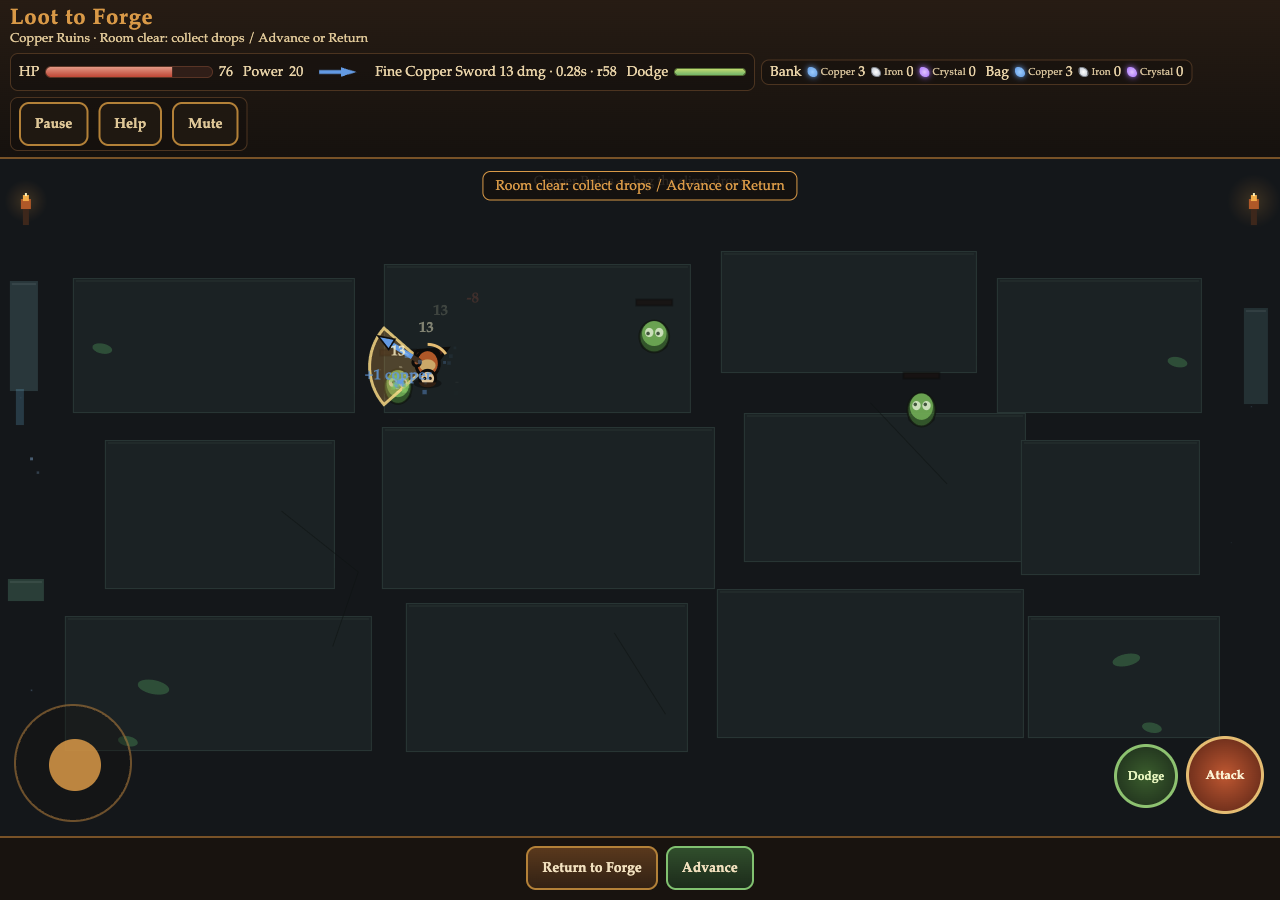
Loot to Forge alternates between a safe camp and three combat rooms. Train Power, mine starter copper, then choose three ores for a sword or hammer and time three anvil strikes. In the dungeon, enemy drops go into a carried bag. Returning to camp banks those ores and heals you; dying loses the bag. The equipment and resources you protect at camp let you prepare another attempt at the Forge Guardian.
Play Loot to Forge
Open full page (opens in a new tab)Click or tap inside the game to begin using its controls.
Published
Loot to Forge uses a desktop keyboard for movement and combat, with clicks for camp and forge menus. Touch play uses the left stick, Attack and Dodge buttons, plus tap controls for smithing. Both portrait and landscape layouts are available. In the current build, open Help while playing: Help opened from Pause can sit beneath the Pause panel; Resume and then close Help to recover.
01Learn the controls
Controls for Loot to Forge
| Action | What to use |
|---|---|
| Move and face | WASD or arrow keys; left touch stick |
| Attack in facing direction | Hold Space or the touch Attack button |
| Dodge | Shift or Dodge button; 1.2-second cooldown |
| Train, mine and prepare equipment | Click or tap camp and forge buttons |
| Smith a weapon | Click or tap Strike three separate times, then Equip |
| Pause | P, Escape, or Pause button |
02Your first run
How do you play Loot to Forge?
Prepare a first sword
At camp in Loot to Forge, follow the First forge checklist: train to 5 Power and mine three copper. Open Forge, select Sword and fill its three ore slots. Presets fill the slots without spending ore.
Time three strikes and equip
In Loot to Forge, Begin Forge spends the three selected ores. Press Strike when the marker reaches green for 2 points or yellow for 1. A total of 4 or more makes a Fine weapon. Review its stats and press Equip to replace your current weapon.
Collect and secure dungeon ore
Enter Loot to Forge’s Room 1 and face slimes while holding Attack. Collect their copper drops. Choose Return to Forge and confirm to bank the bag and heal before risking another room.
Improve the weapon and advance
Loot to Forge’s Room 2 adds golems, iron and crystal. Compare the forge preview’s damage, cooldown and reach before spending your banked ore. Advance through cleared rooms and defeat the Guardian in the Ember Arena.
03Make the next run count
How can you improve at Loot to Forge?
Bank before a risky push
In Loot to Forge, your carried bag disappears on defeat. Return to Forge protects it and restores health, although enemies reset for the next trip. Bank a useful haul before experimenting with a harder room.
Choose ore for a specific stat
In Loot to Forge, each iron adds 2 weapon damage; copper cuts attack cooldown by 0.04 seconds; crystal adds 1 damage and 4 reach. Use the preview to compare the complete recipe with your equipped weapon.
Keep facing and dodge in mind
Loot to Forge’s attacks travel in the direction you face. Move to line up the target, then attack. Save the short Dodge for enemy warnings, especially the Guardian’s charge and ring attacks, rather than using it whenever it is ready.
04Before you play again
Questions about Loot to Forge
What survives defeat in Loot to Forge?
Loot to Forge preserves equipment, Power, banked ore and unlocked rooms after defeat. The ore in your carried bag is lost.
When does forging spend my ore?
In Loot to Forge, only Begin Forge spends the three selected ores. Selecting a preset or removing an ore from a slot does not spend it.
What happens if I miss the smithing marker?
Loot to Forge still gives you a usable Standard weapon after missed strikes. Green hits score 2, yellow hits score 1, and misses score 0. At least 4 points across the three strikes makes the weapon Fine.
Why am I still using my old weapon after forging?
Loot to Forge’s result screen does not equip automatically. Compare the result with your current stats, then press Equip to switch.
About this Loot to Forge guide
Guide by OpenGame. Content reviewed .
The controls and rules describe the published game on this page. Screenshots show the game at the stage noted in each caption. Later game revisions may change its behavior.
Learn how OpenGame works, or contact support to report a guide correction.