
OpenGame guide
Building Clean Break: A 3D Puzzle Game in OpenGame
Follow the real Clean Break workflow: define a puzzle, playtest generated versions, report reproducible bugs, and iterate toward a six-level 3D browser game.
 OpenGame Team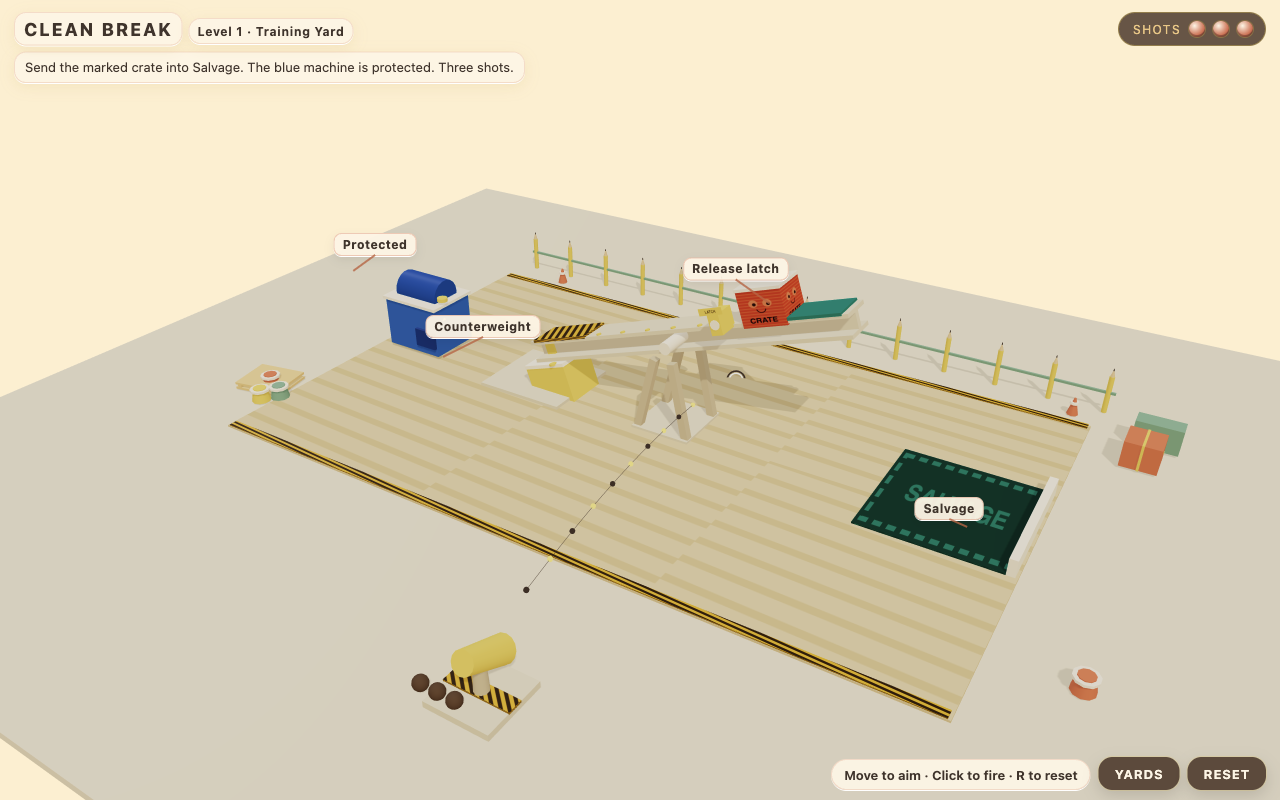
Play Clean Break, a six-level browser puzzle game made through OpenGame Studio. Aim at the mechanism, change how its parts move, and guide the marked crate into the salvage area while protecting the blue machine. You have three shots per attempt.
The published V16 Training Yard. This is a screenshot of the playable game.
Getting here took 16 generation tasks, several rounds of browser playtesting, and fixes to both the game and the platform. This article follows the process: how we defined a small first puzzle, found problems by playing it, and turned observations into useful revision requests.
Start with a decision the player can understand
Before Clean Break, we tried a delivery game. Its routes and objectives worked, but the creator found the driving space cramped and the experience unconvincing. More scenery did not solve that problem. We stopped that direction and chose a different interaction.
For Clean Break, the player would inspect a mechanism from a fixed perspective, choose where to shoot, and watch the consequences. Removing character movement and camera controls gave us a smaller set of things to make feel clear.
The first design still needed work. A single pin that immediately triggered a win would offer little to discover. During the Studio discussion, we changed it into a two-step balance problem: alter the beam's balance, then release the crate. The wrong order had to produce a different, understandable outcome.
We also limited the simulation. The game uses constrained hinges, supports, gravity, and guided motion. We did not establish a general rigid-body destruction engine as an available capability. That boundary shaped the puzzles we could reasonably ask the website to create.
Discuss the SPEC before generating
We used the real Studio conversation to work through the design and confirmed the SPEC before requesting a build. The essential requirements were concrete:
- A fixed oblique view showing the mechanism and its destination.
- Free mouse aiming and a maximum of three shots.
- A marked crate, a salvage area, and a protected blue machine.
- Different outcomes for meaningful choices of shot and order.
- Immediate retry, including resetting while objects were moving.
- A downloadable game package.
Here is a condensed starter prompt based on that design. It is a reusable summary, not the verbatim original prompt or a promise to reproduce V16 in one generation.
Discuss a small English-language 3D puzzle game before generating code.

The player inspects a mechanism from a fixed oblique camera, aims,
and fires up to three shots. The goal is to move a marked crate into
salvage without hitting a protected blue machine.

Start with one puzzle requiring two consequential actions.
A wrong order must have a visible, understandable consequence.
Success must follow the crate's position and contact with objects.

Explain which support, hinge, gravity, and collision behavior the
available runtime can reliably support. Keep the simulation bounded.

Define the controls, win and loss conditions, last-shot resolution,
reset behavior, and downloadable output. Return a SPEC for review
before generating the game.
The useful part of this prompt is its acceptance criteria. It gives us something to test beyond whether a scene appears.
Play the first puzzle in more than one way
After the first build, we played it in the website using real mouse and keyboard input. We tried the intended sequence, the wrong sequence, and a deliberate miss followed by the two useful shots.
That last case mattered: spending the final shot must not trigger a loss before the moving crate has finished reaching its destination.
We also reset during motion and clicked rapidly to check whether the game spent extra shots while an outcome was still resolving. These checks tested the rules around the puzzle, not just its solution.
The first version had a working causal loop, but the scene was dark and the launcher was partly clipped. We requested a focused readability revision. A later tall-window test revealed another issue: the camera's fitting distance was capped, leaving the salvage area outside the view. That became a separate camera correction.
The sequence was simple: play, describe the observed failure, request one coherent change, then play the new version.
Expand only after the small loop works
We expanded from one puzzle to three, then to six. Successful generation did not mean every new level was playable.
In the second yard, the crate would not slide along the intended route. Inspecting the downloaded source helped explain what we had seen: the slope was too shallow for the configured friction. A falling pin could also strike the protected machine, and the bridge geometry needed more clearance.
We sent those observations back through Studio. The next game revision was generated by the website; we did not upload a locally repaired game and present it as a Studio result.
Later, the fifth yard required two repair attempts. Problems with the linkage angle and the second crate's starting state meant that the intended solution still failed, while a supposed wrong route was not behaving as designed. V11 was the first version in which we completed all six yards.
These failures changed how we wrote revision requests. “Fix the physics” was too broad. A useful report named the yard, described the actions, explained the visible outcome, and stated what a successful retry should demonstrate.
Write revisions from observations
A later visual pass introduced a different kind of problem. When we pressed Continue, detached pieces from the previous yard remained visible in the next one. Testing levels separately would have missed it.
This excerpt comes from the actual V14 revision request:
After clearing L1 and pressing Continue, its fallen counterweight and latch remain visible in L2. More detached pins/latches accumulate in L3-L6. This is not intentional salvage dressing.
The request then specified the behavior we needed: remove the previous yard's detached objects when leaving, restore its initial mechanism when revisiting, and preserve moving pieces while their own yard was active.
A practical revision template is:
Baseline: identify the saved version you just played.

Observed problem: name the scene and visible symptom.
Reproduction: give the actions that produce it.
Expected result: explain what should happen instead.
Scope: identify the related changes for this revision.
Acceptance: list the routes, retries, and transitions to replay.

Return the revised SPEC for confirmation before generating.
A narrow request helps keep an iteration understandable. It does not guarantee that a generative revision leaves every other line of code unchanged. Previously working behavior still needs to be checked.
Keep gameplay readable when adding scenery
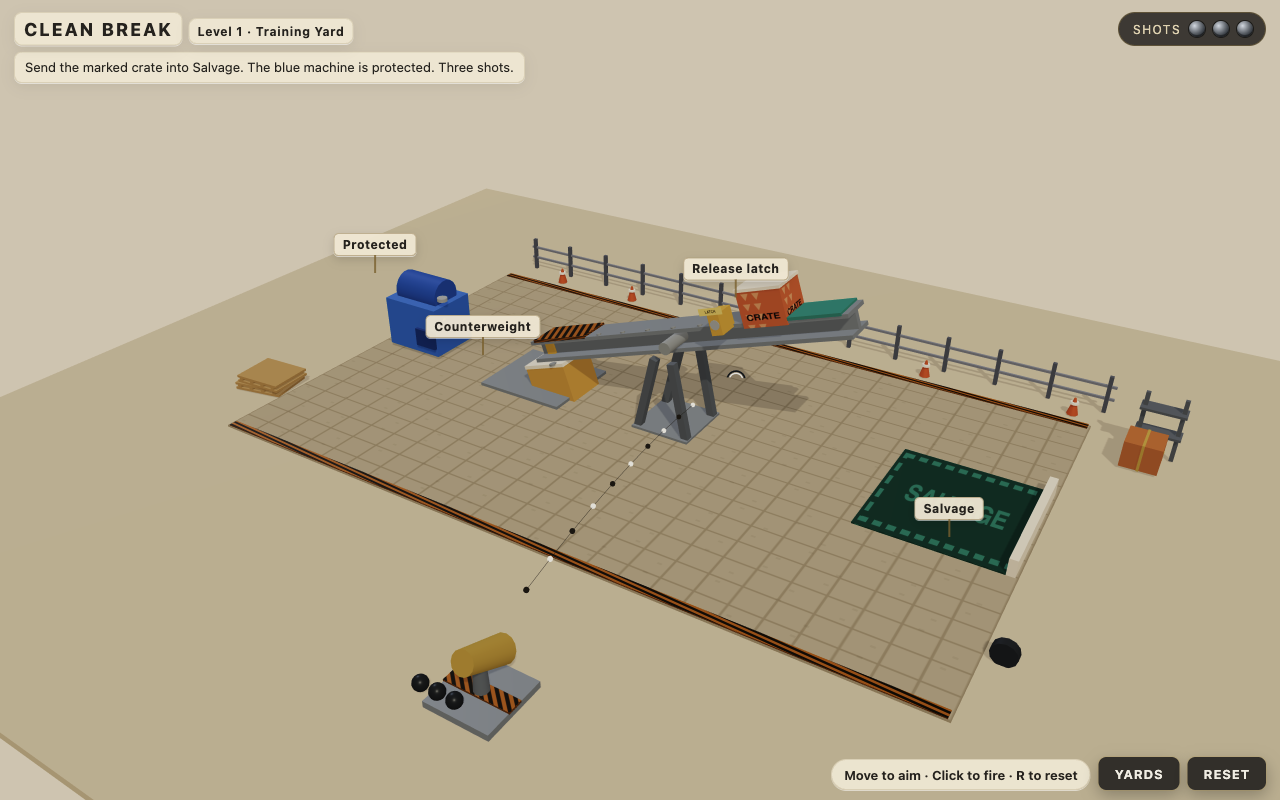
V13 already had the six-yard campaign. The final pass changed the visual treatment while retaining the same intended puzzle structure.
Adding detail can create new obstacles for the player. In the sixth yard, a decorative front crossbar covered important parts of the mechanism. Some labels overlapped. We requested a more open foreground and labels positioned using their actual displayed size, with clear connections to their targets.
Only after the campaign worked did we try the V16 toy-workshop treatment: a lighter palette, expressive crates, and small workshop props. The result is still built from simple geometry. We accepted the improvement and stopped, rather than starting another broad art revision.
The screenshot at the top shows that final version. Both images are from actual play sessions; neither is a concept render.
Separate game defects from platform failures
Some problems required a new game revision. Others belonged to OpenGame itself.
During this project, we fixed a provider response-header timeout and a long-conversation compaction error in the generation runtime. On the website, we corrected how interrupted artifact downloads were classified and added a way to check for an already saved result after a failed task.
V14 made the distinction especially clear. The task had failed and been refunded, but usable game files existed. We eventually recovered those files through the website, then tested the preview and ZIP download. The original failure and refund records remained intact.
We also made an avoidable mistake: before recovering V14, we requested another revision. V15 returned unchanged content and failed, costing another 13 minutes of waiting despite the credit refund.
The lesson is to inspect a failed task before trying again. An unavailable saved result, a generation error, and an unplayable level require different responses.
What the iteration cost
These figures cover Clean Break alone, excluding the earlier delivery-game experiment.
| Measure | Recorded result | | --- | --- | | Generation tasks | 16 | | Tasks initially completed | 11 | | Tasks initially failed | 5 | | Combined task duration | 2 hours, 43 minutes, 54 seconds | | Time spent in failed tasks | 50 minutes, 53 seconds | | Credits charged / refunded / net | 160 / 50 / 110 | | Published version | V16 |
Task duration runs from task creation to completion or failure. It includes model calls, tools, validation, and saving. It excludes the time we spent discussing, playing, diagnosing, and fixing the platform, so it is not a total production-hours estimate.
V14 remains in the failed-task count even though we later recovered its result. Credits are OpenGame usage units, not a calculation of model-provider cost.
Small revisions could still take a long time because the generation workflow wrote a complete game file. That made specific requests and deliberate playtesting valuable: each unnecessary iteration meant another substantial wait.
Finish by testing the campaign and the handoff
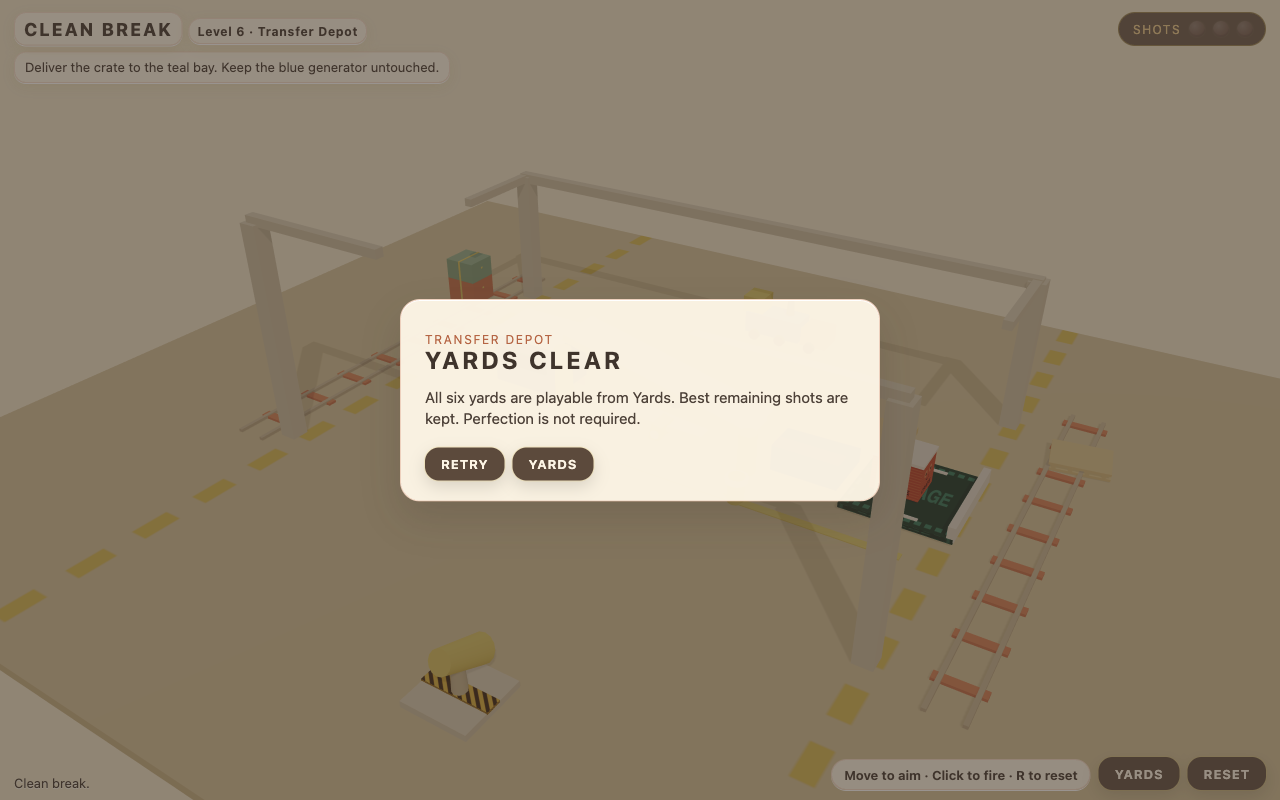
The V16 campaign completion screen after the six correct routes had been played.
Before closing the project, we completed all six correct routes in V16, downloaded the original ZIP, published the game through Studio, and checked that the public page started the game.
V14 had received additional checks for wrong-order failures, last-shot wins, resets during motion, transitions, and different window sizes. We did not repeat every one of those edge cases on V16. We also did not establish a reliable first-time player completion duration or accept persistent progress across refreshes.
Those limits matter when describing a finished experiment. Clean Break is a published, playable example with a downloadable development package. There is still room to improve its art and test coverage.
Use the process for your own game
The most reusable part of this project is the working rhythm:
- Define one decision and its visible consequence.
- Confirm the SPEC before generating.
- Play a winning route, a losing route, and a retry.
- Describe failures with reproducible actions.
- Request one coherent revision and replay the affected behavior.
- Expand content after the core interaction works.
- Verify the final game and its export before calling the work complete.
Play Clean Break, then open OpenGame Studio to discuss an original puzzle of your own. Browse more playable browser games for examples of complete loops. The prompt above can help you start that conversation; the finished game came from the iterations that followed.
Production note: this case study is based on our September 26–27, 2026 Studio sessions, saved prompts, task records, downloaded versions, and browser playtests. Screenshots are labeled by version. Game creation and revisions ran through Studio; platform repairs were separate engineering work.