
Crafting
Dressmaker
Turn a customer card into a dress, one careful gesture at a time.
What is Dressmaker?
Dressmaker takes you through a small tailoring workshop: choose a design, arrange three pattern pieces, cut them, sew a seam and add decorations. Five customer orders become a finished portfolio. The score rewards matching the request and controlling the cutting and sewing gestures, so a beautiful-looking choice can still lose points if it misses the card.
Play Dressmaker
Open full page (opens in a new tab)Click or tap inside the game to begin using its controls.
Published
Dressmaker supports mouse and touch input. The game uses dragging, tracing and holding rather than movement keys. Portrait touch input is supported; a larger screen makes the pattern outlines easier to follow.
01Learn the controls
Controls for Dressmaker
| Action | What to use |
|---|---|
| Choose design and advance stages | Click or tap the choices and stage buttons. |
| Arrange pattern pieces and decorations | Drag with the mouse or a finger. |
| Rotate the selected pattern piece | Rotate button, or R during Arrange. |
| Cut and sew | Drag along dashed cutting outlines; hold and guide the pointer along the glowing seam. |
| Cancel a gesture | Cancel button or Escape. Escape also closes the reset confirmation. |
02Your first run
How do you play Dressmaker?
Read the customer card
Start each Dressmaker order by choosing a silhouette, color and cloth pattern before continuing. Matching the silhouette and color earns points; the decoration request matters later.
Fit and cut the pieces
Drag both bodice panels and the skirt fully onto the cloth without overlaps, rotating as needed. Pin pieces, then trace each dashed outline. Recut panel clears that selected cut for another try.
Guide the seam and decorate
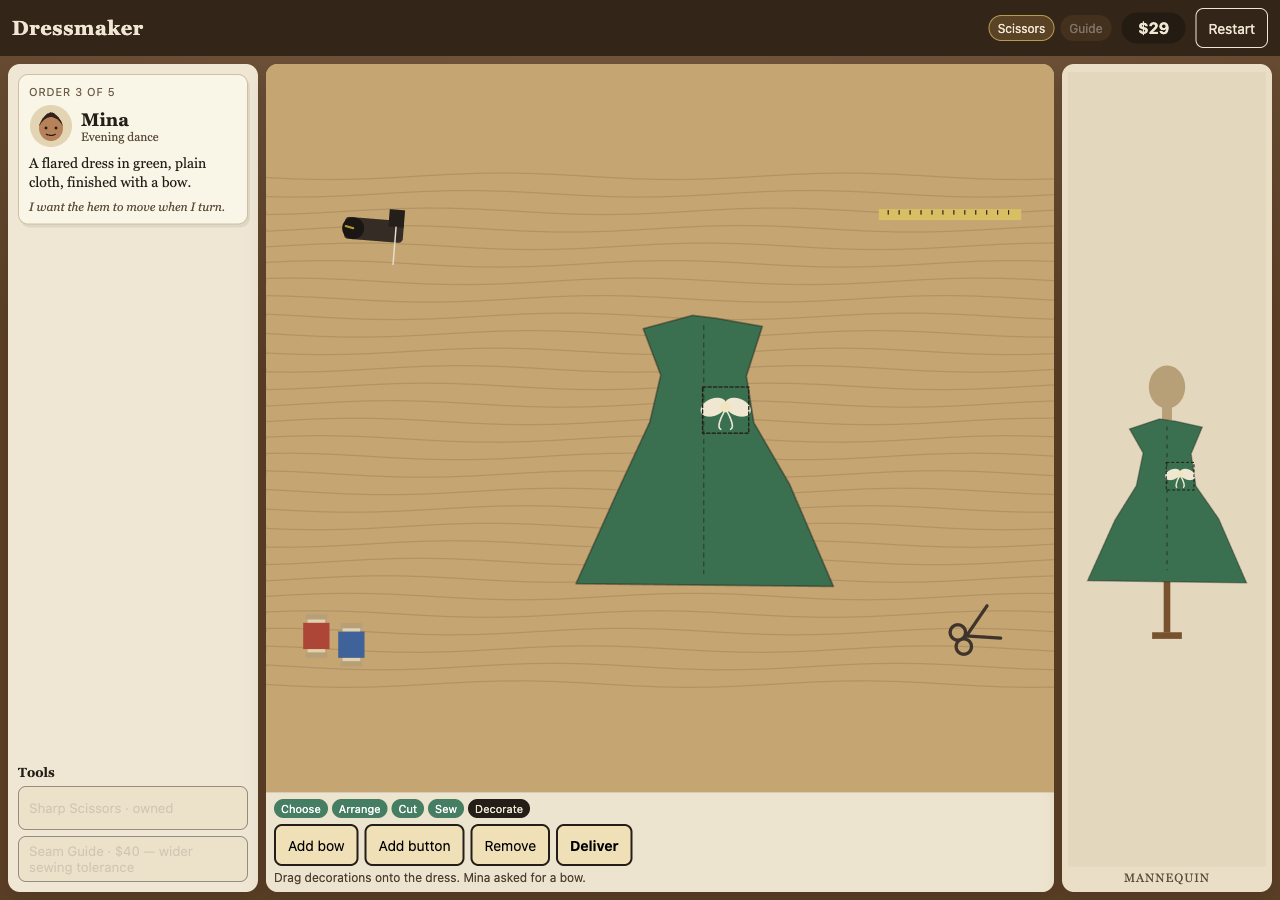
Hold the pointer on the glowing sewing path as the seam progresses. When the next stage is available, place the requested decoration and deliver the dress.
Use the result to improve
Review the separate silhouette, color, decoration, cutting and sewing scores. Spend earnings on tools if useful, then take the next order. The fifth delivery opens the portfolio.
03Make the next run count
How can you improve at Dressmaker?
Fix layout before pinning
In Dressmaker, an unavailable Pin pieces button means you should check the cloth edges and overlaps. Rotate the selected panel to make room rather than trying to force it through the next stage.
Recut a poor trace
Cutting contributes up to 25 points. Use the free Recut panel action before leaving the cutting stage if a stroke strays far from the outline.
Buy tolerance for your weaker gesture
Sharp Scissors cost $30 and widen cutting tolerance. The $40 Seam Guide widens sewing tolerance. Neither replaces following the path; choose using the score breakdown.
04Before you play again
Questions about Dressmaker
Why can I not pin pattern pieces in Dressmaker?
Dressmaker requires both bodice panels and the skirt to sit fully inside the cloth without overlapping. Select and rotate a piece, then adjust its position until the layout is valid.
Do wrong design choices stop a Dressmaker order?
You can continue with a different silhouette or color, but the customer-match score is lower. Delivery also evaluates the decoration, cutting and sewing.
How do I retry cutting in Dressmaker?
During Dressmaker’s Cut stage, select the panel and use Recut panel to clear its trace and try again. A full Restart resets the entire workshop session.
Does Dressmaker require tool upgrades?
Dressmaker’s scissors and seam guide upgrades are optional; they make their respective gestures more forgiving. You can complete the five-order portfolio with the starting tools.
About this Dressmaker guide
Guide by OpenGame. Content reviewed .
The controls and rules describe the published game on this page. Screenshots show the game at the stage noted in each caption. Later game revisions may change its behavior.
Learn how OpenGame works, or contact support to report a guide correction.